Blog

  • TIL: a dive into web components

    Here at E-MUSE we favour sticking to HTML until we absolutely need CSS, and sticking sto CSS until we absolutely need JS, and sticking to client-side framework-less JS until we absolutely need to. Related to this, here is a tiny TIL: Offloading Javascript with Custom Properties, on the interaction between JavaScript and custom CSS properties.

    Web components allow for the richness of JS frameworks, while maintaining the clean semantics of HTML.

    Let’s start from the MDN explainer: https://developer.mozilla.org/en-US/docs/Web/API/Web_components/Using_custom_elements

    And here are a few recent blog posts and resources on web components:

  • Apple Vision Pro coverage roundup

    The Apple Vision Pro launch seems to have brought a lot of of interest, which is to be expected when Apple does, well, anything.

    They even came up with their own marketing-infused grammar, they want people to say Apple Vision Pro, never the Apple Vision Pro.

    Some of the discourse has veered into worries about people wearing visors while driving, luckily those are just a handful of attention seekers.

    Technical Analysis

    First of all, how is it built? iFixit to the rescue:

    It would seem that finally the screen resolution and clarity are sufficient for the “lots of virtual screens” use case. Last year Karl Guttag evaluated the angular resolution of the Apple Vision Pro as between 35 and 40 PPD (pixels per degree). In the above iFixit video it’s measured at 34 PPD, so that was spot on.

    Basically if you are at all interested in the optics side of thing, just read everything Guttag writes: https://kguttag.com/tag/apple-vision-pro/

    Also check out the Ars Technica review.

    On the development side, Unity support is now out of beta, but it is only available for Pro users ($1800/year). So for most developers the choice is between the native Apple SDKs and WebXR. The latter enables us to develop once, and run on every device, so it is clearly superior.

    There has also been some debate on Spatial Video, namely whether it is simply a stereoscopic image, or if there is some parallax magic. As always with immersive video, Hugh Hou has the last word:

    Another important issue with the Apple Vision Pro are the optical inserts, Eric Cheng wrote a status of optical accommodation in the whole industry.

    Mainstream Reviews

    Casey Neistat’s failure to activate travel mode was very funny, but it was not a very good review, so we’re not going to link it.

    Joanna Stern tried some interesting “spatial” uses. In particular the multiple timers are a classic Ambient Computing idea.

    The Verge’s review is great at emphasizing all the ways in which the Apple Vision Pro pushes the limits of our current computing environment.

    Stratechery, Daring Fireball, Wait But Why, Hypergrid on VR Gentrification, Road to VR,

    Personas demo:

    MKBHD did a four-parter:

    Apps

    The fundamental distinction is between “windowed” apps, that are limited on a virtual screen, and actual VR apps. The beauty of Reality Kit is the ability of having spatially-aware elements in apps that still work with passthrough.

    Soul Spire, Shortcut Buttons, Now Playing,

    Puzzling Places is one of the best Quest apps, from one of the best photogrammetry teams in the world, so it’s not a surprise to see them be successful on the Apple Vision Pro

    Aro.work: A webXR workspace

    Everyone seems very enthusiastic about Juno, a third party YouTube client. The whole thing reminds me of Windows Phone.

    From Road to VR: 8 Great Vision Pro Apps to Download First

  • AI Linkpost – 2024-02-06

    Local AI

    Apple open-sourced this interesting local AI for instruction-based image editing.

    https://github.com/Mozilla-Ocho/llamafile

    https://github.com/apple/ml-ferret

    General AI news

    https://www.theverge.com/2024/1/17/24041518/generative-ai-copyright-violation-fair-training-label-certification: Nonprofit group Fairly Trained plans to certify AI models that ask permission to use copyrighted material.

    https://moritzgiessmann.de/blog/posts/using-ai-for-accessibility/

    https://www.theuxda.com/blog/ux-case-study-ai-powered-spatial-banking-for-apple-vision-pro

    https://arstechnica.com/health/2024/01/what-do-threads-mastodon-and-hospital-records-have-in-common/

    Building a fully local LLM voice assistant to control my smart home: Hacker News Thread

    Mixtral 8x7B: A sparse Mixture of Experts language model: Hacker News Thread

    Energy use is one of the real show stoppers with AI, so this is super important: TinyML: Ultra-low power machine learning Hacker News Thread

    Antirez, the maker of Redis, has been experimenting with AI:

    Translating blog posts with GPT-4, or: on hope and fear

    First Token Cutoff LLM sampling

    https://openfuture.eu/blog/ai-and-the-commons-the-paradox-of-open-for-business/

    https://blog.cassidoo.co/post/ai-voice-test/
    https://hidde.blog/redundant-ai/

    https://studiodradiodurans.com/blogs/radar/navigating-the-paradigm-shift

    https://www.theverge.com/2024/1/18/24042354/mark-zuckerberg-meta-agi-reorg-interview

  • Local AI Linkpost

    Links to models that you can run yourself. They call them Open Source, which is not exactly accurate, their licenses are more restrictive, but in practice you can used them, even for commercial applications, and you can poke around them quite a bit.

    1. Code Llama 70B, download, the new version for Meta’s code-generation Large Language Model. Here it is on huggingface.
    2. RWKV Eagle 7B, the most interesting part is that architecturally it is not transformer-based, but it should be more energy-efficient.

    We should probably write a tutorial on how to run these models locally, and on how they can be used productively. The latter is an open question, it is very easy to waste time, and these things tend to be power hungry.

  • Linkpost: webdev edition

    A couple of useful links from and about the web

    1. The best CSS Grid tutorial, from cssprinciples.com. We love interactivity embedded into good old textual pages.
    2. HTML self-awareness from Cassidoo. A neat trick for those among us who don’t use JS frameworks.
    3. Val Town allows you to run functions, schedule them, and build APIs using TypeScript. There is also a community sharing ready-made functions. The e-mail logging function is great for monitoring client-side-only sites.
  • TIL: video editing in Blender

    As a company we are deeply committed to Open Source and Free Software. For video processing we do use a whole lot of ffmpeg, but for video editing we tend to use proprietary solutions like DaVinci Resolve and FinalCut Pro rather than Kdenlive.

    However, we’re already working on Blender most of the time, so why not use that? After all reducing dependencies is generally a benefit to any workflow.

    Here we are going to share just a few tips for users not already familiar with Blender. It is surprisingly internally self-consistent, for something that can do so many different things.

    When opening Blender we can create select the Video Editing layout from the splash screen, we get this layout:

    This is basically the same as any other non-linear video editor: we select files in the top right, we drag into tracks below, we see the result at the top in the center. When we drag videos onto the timeline Proxy Media is automatically generated.

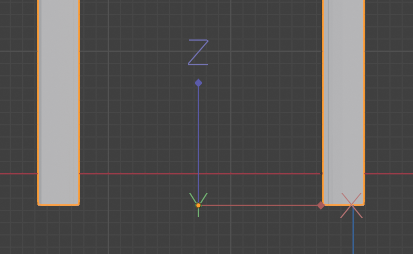
    There are just a couple of tricks to get you started: use Blender keyboard shortcuts, like G to move objects, X to delete them. A video-specific one is Shift+Space+K to select the Blade tool, Shift+Space+W for the select tool.

    The Blade tool is used to split clips under the cursor.

    To make it usable you should also enable Waveform Display for all audio tracks. It’s at the bottom of the video sequencer View menu, which has this icon:

    Here it is with waveform display off:

    And on:

    That makes it much easier to use.

    You can pick you video’s resolution and frame rate in the Scene inspector in the top right, as well as the output file location, container and codec.

    In order to render just press Shift+F12 (Command + F12 on Mac), or go to Render > Render Animation in the top menu.

  • Tiny linkpost: spatial computing annex

    In yesterday’s post I neglected to link to a couple of really interesting and accessible essays on spatial interactions, both by Maggie Appleton.

    In Historical Trails there are wonderful examples on how chronological information can be shifted to a spatial representation, allowing for better and faster retrieval, and more generally for matching the semantics of how users navigate information to the syntax of history retrieval.

    In Ambient Copresence she thoughtfully defines a paradigm for sharing space online, reflecting on what works synchronously and what scales to different audience sizes.

    We are working on a project that will see a virtual exhibition space and a live event come together in a cohesive experience, so these considerations are very precious for us.

  • Apple Vision launch day, spatial computing paradigms

    Apple Vision launch day, spatial computing paradigms

    The Apple Vision Pro orders just opened (US only), and they also uploaded a new guided tour, which gives us a chance to reflect on what kind of experiences Apple is putting front and center.

    A man wearing an Apple Vision Pro is depicted as he watches a Godzilla video on an enormous virtual screen

    In the VR community there has been much ado about Apple’s choice to entirely refuse the industry jargon: there is no VR, MR, XR, AR, it’s all spatial computing. They’ve been accused of making up new words to obfuscate what they’re offering. We think it’s more subtle than that.

    First of all, naming things matter. Some of the experiences we build can be considered part of the “metaverse”, but that’s not a term we use, because it doesn’t have a good technical definition, and because it reminds people of sleazy operations. Some think of the Meta advertisements, some think of literal scams. Those scams that are so pervasive that I don’t dare to mention them, lest I attract their spam.

    Apple systematically chooses feature names that represent the value added for the user’s experience, while simultaneously obfuscating the technical details. They don’t want us to know the DPIs of a screen, they just tell us it’s Retina. It doesn’t matter very much to Apple that competitors make screens with better resolution, if it’s Retina it’s good enough, you’re not going to see the individual pixels. It’s annoying for us nerds, but it seems to work just fine.

    In some ways it’s similar with Spatial Computing, it’s technically indisputable that the Apple Vision Pro is a VR headset with a Mixed Reality passthrough function, just like the Meta Quest 3. But what Apple is doing is not only obfuscation, and they certainly didn’t come up with the term. What they’re trying to communicate is that the advantage of computing on a headset rather than on a laptop is going to be spatial in nature. Spatial computing is not a new term at all, the essays written by Timoni West at Unity were an inspiration for my dissertation, and then for the founding of this company. The fundamental idea is to use the dimensionality of the interface for communication between the user and the computer. Information doesn’t have to be limited to a 2D screen, and most importantly user input doesn’t have to be limited to discrete actions. It’s still hard work, but we can enable natural interactions that allow us to think gesturally. Let me gesture that I want a piece of machinery to be ✋ this 🤚 big, and have the computer figure out how big that is in numbers. This is the kind of use case that Sony is targeting with their new VR headset.

    Looking at the Apple developer documentation, a lot of work has gone into making the creation of this kind of experience possible, but they’re not focusing their presentation on that at all. All that the user is seen doing is positioning virtual windows around them.

    A virtual screen showing the Apple Mail inbox
    A Safari and a Mail virtual window sit side by side

    This is extremely similar to what was possible with Windows Mixed Reality or with the Quest. On the Hololens the visual fidelity was just not enough, and the field of view was tiny. On the Quest 2 the visual fidelity was still too low, it is much improved on the Quest 3, but it is still somewhat worse than just staring at a screen. Looking at the specs the Apple Vision Pro might finally be able to pull of this use case.

    However, it’s not at all the kind of spatial computing that I described above.

    Instead, it harkens back to the old days of the classic Mac Finder, and in some ways to the design of Jef Raskin. The idea is that rather than following the hierarchical organization of the file system, the interaction between the user and the computer will determine a spatial organization of the information that is being worked on, that will mirror a spatial conceptualization in the user’s mind.

    A lot of the modern window management solution that Apple has added to both the Mac and the iPad, like Stage Manager and Mission Control, have enabled users to experiment with this kind of paradigm. There is also a $9.99 Mac spatial desktop environment called Raskin as an homage. Raskin’s son Aza also developed Tab Candy, which brought spatial tab management to Firefox.

    I think the verdict is still out on how useful this kind of spatialization is, but I think it’s clear that it is part of what Apple is going for. With any immersive technology we must always remember that the real immersion is in the user’s mind, we can feel present in a novel as much as in VR. As a company we are sticking to the other kind of spatialization, where the spatial information is intrinsic to the problem domain, whether it’s reproducing historical artifacts, simulating the propagation of sound in an environment, or assembling a machine in the correct order. Apple Vision Pro makes both of them much easier to develop. You know, when we’ll actually get one here in Italy 😀

  • TIL: CSS Scroll Snapping, nested selectors

    Our designer is building her personal portfolio website, and she’s way less conservative than me with her layouts. In order to actually implement her design I found out about CSS scroll-snapping, and the nested selector.

    The latter has reached Baseline status in December 2023, so it makes sense that I didn’t know about it yet!