Tag: blender

  • TIL: multiple selection modes in Blender

    TIL: multiple selection modes in Blender

    When in Edit Mode, you can switch the selection mode between Vertex, Edge and Face, using the icons right next to the drop down menu from which you can switch to Object Mode. You can also use the 1, 2, 3 keys as a shortcut.

    What I just learned is that if you Shift+click on the selection modes you can activate more than one at a time, it looks like this:
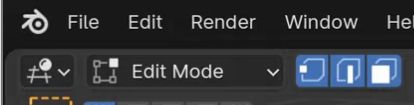
    You can then click on whatever mesh element to select it.
  • TIL: “fix” Blender zoom

    TIL: “fix” Blender zoom

    With the default Blender settings it is quite common to get into situation where you just can’t get close enough to your object.

    There are two tricks to fixing it. The first is to use the Shift+C shortcut, to reset.

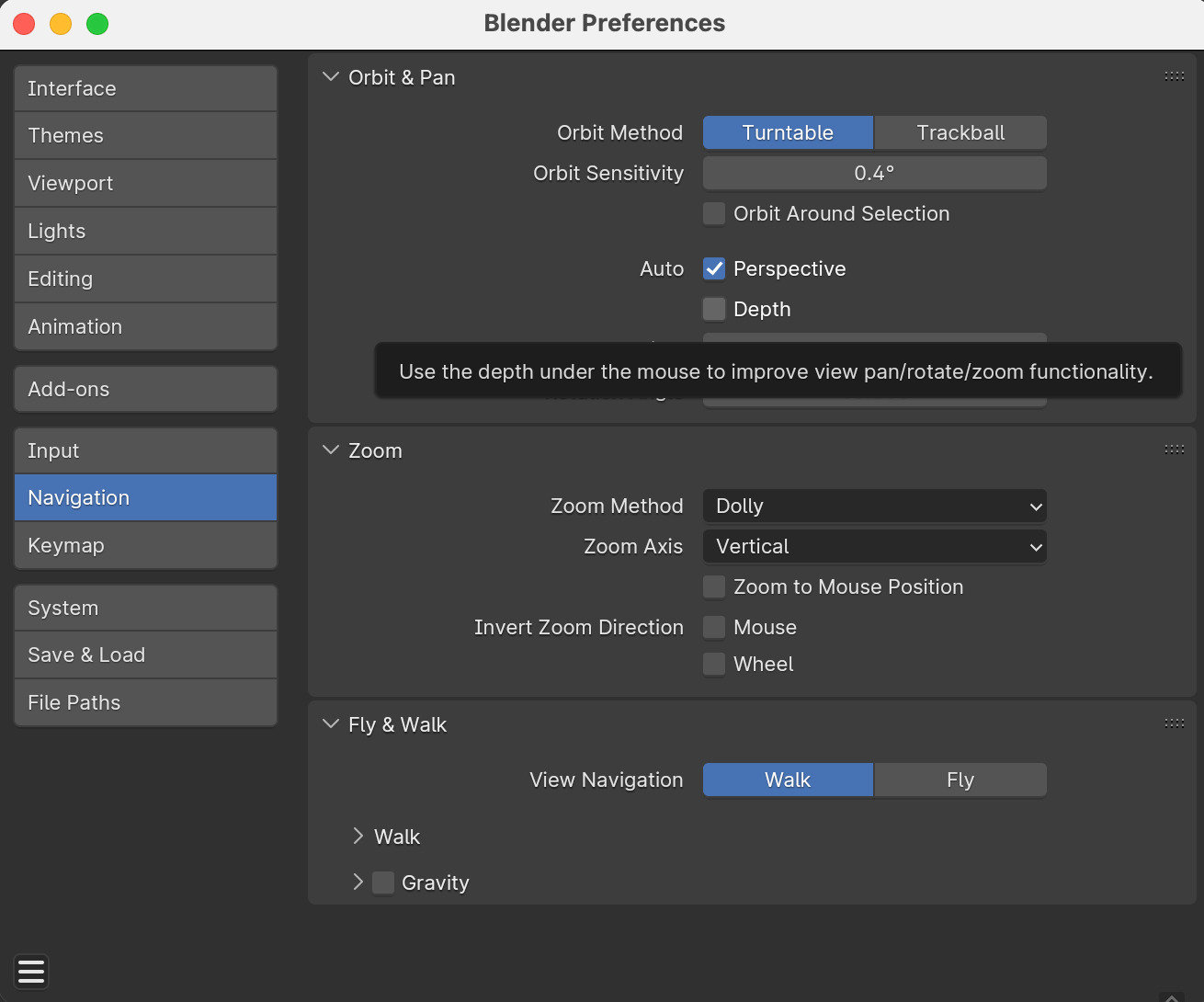
    The second is to enable Auto Depth, under Edit > Preferences > Navigation, as shown in the picture